🎯
Three capture modes
Grab the visible area, draw a custom region, or stitch a full scrolling page — saved as PNG or JPG.
 Screen Studio
Screen Studio takes screenshots and screen recordings, lets you annotate, blur and crop them, then export as PNG, JPG, PDF or video — without a single byte leaving your machine.
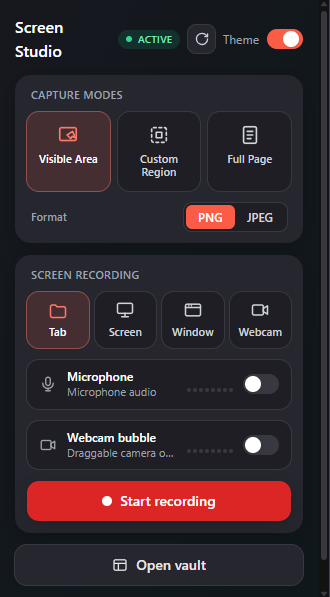
A full capture-and-edit suite that lives in a single toolbar button.
Grab the visible area, draw a custom region, or stitch a full scrolling page — saved as PNG or JPG.
Arrows, boxes, circles, lines, freehand pen, text and a step counter — with adjustable color and stroke.
Drop a blur/hide box over passwords, emails or card numbers before you share a single pixel.
Record a tab, a window, the whole screen or your webcam — with microphone and a draggable camera bubble.
Trim, split, change speed, mute audio, and layer text or blur overlays, then export your clip.
Every screenshot and recording is written straight to your computer's own SSD/disk — using your real drive space, not a tiny cloud quota. Search, sort and re-open anytime from the Vault.
From capture to polished export — all without leaving the browser.
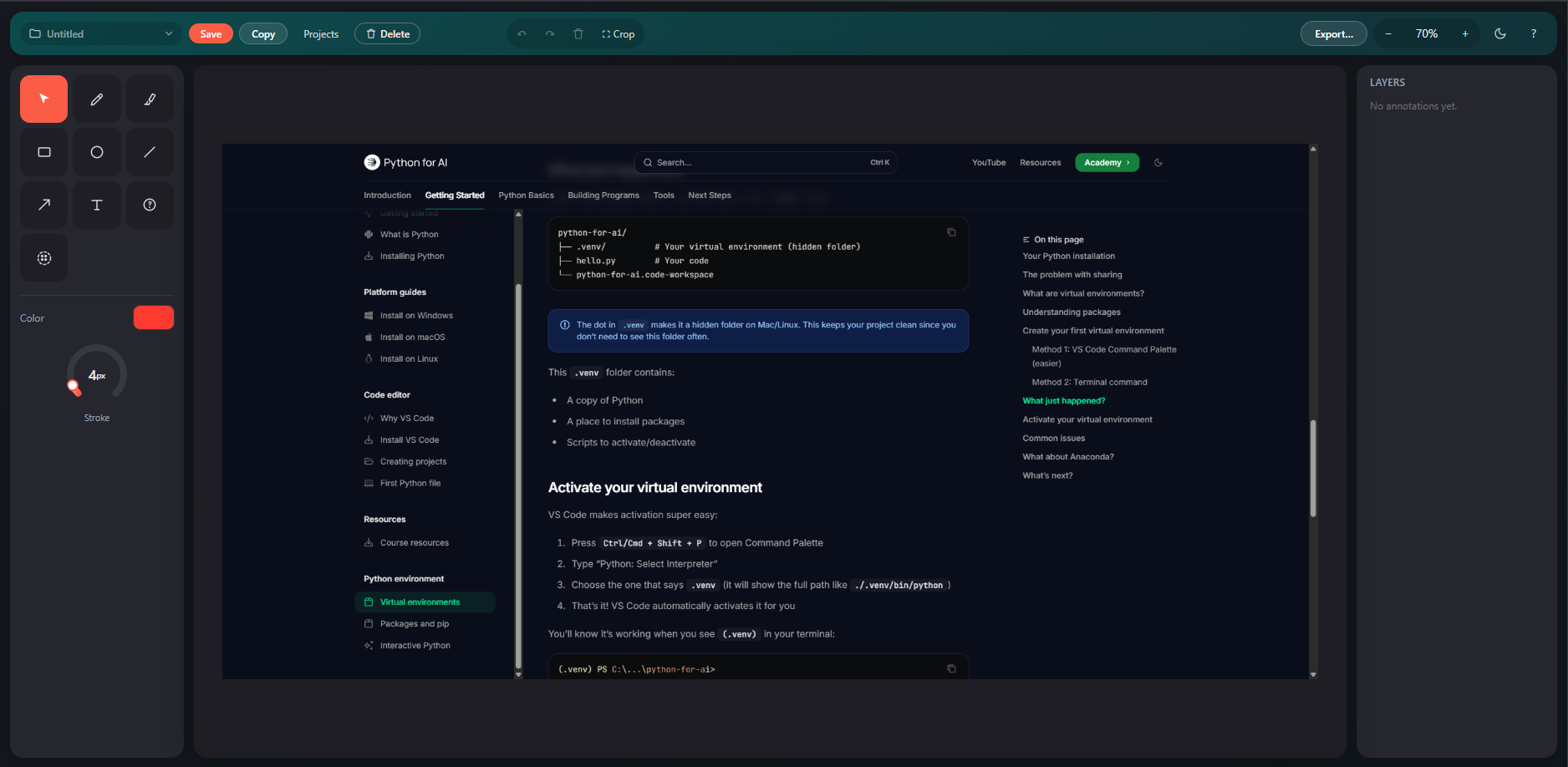
A capture drops straight into the editor: pick a tool, set your color and stroke, draw, crop, then copy or export as PNG, JPG or PDF.
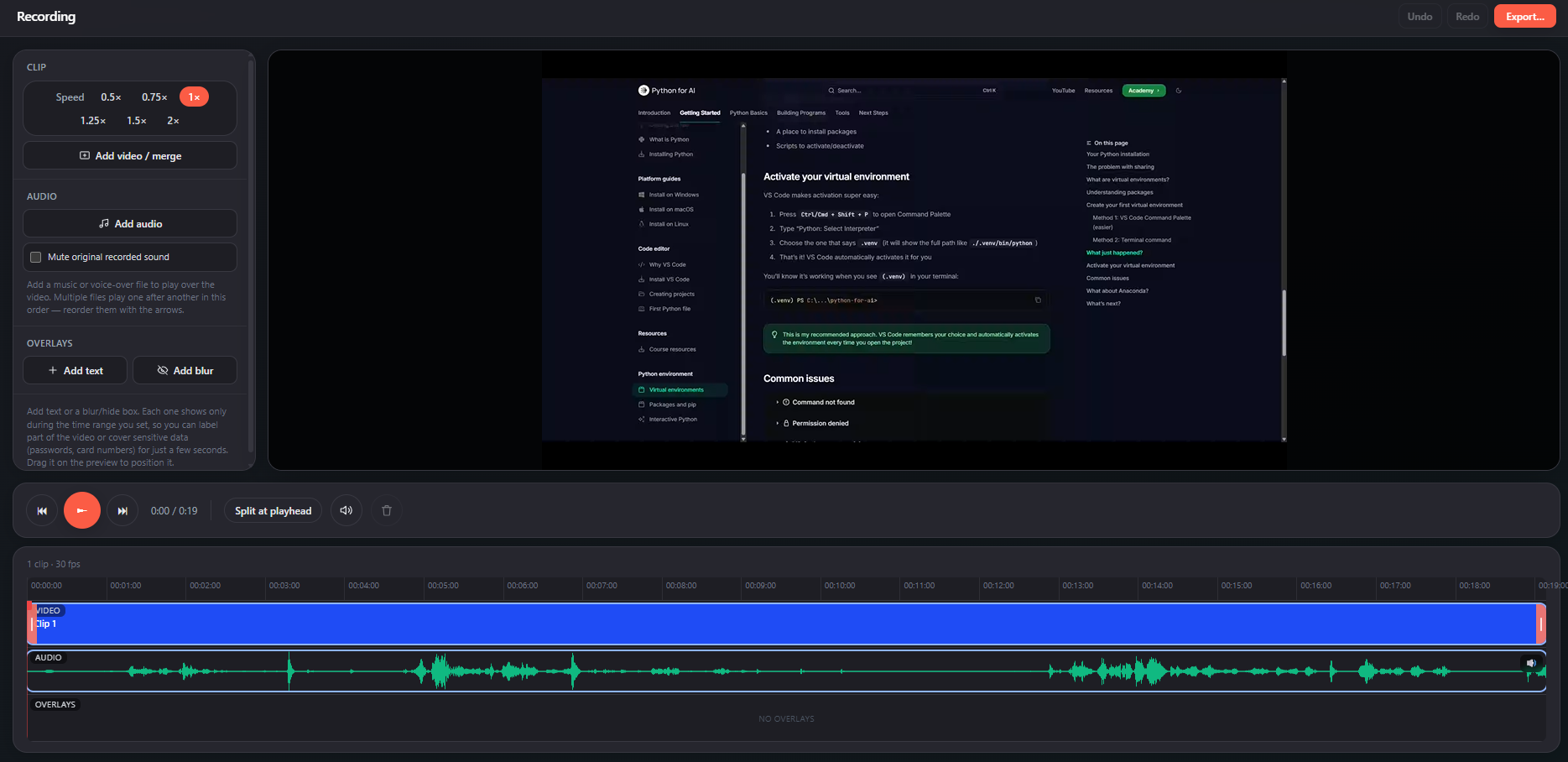
Clip speed control, split-at-playhead, an audio waveform, and dedicated overlay lanes for text and blur — then hit Export.
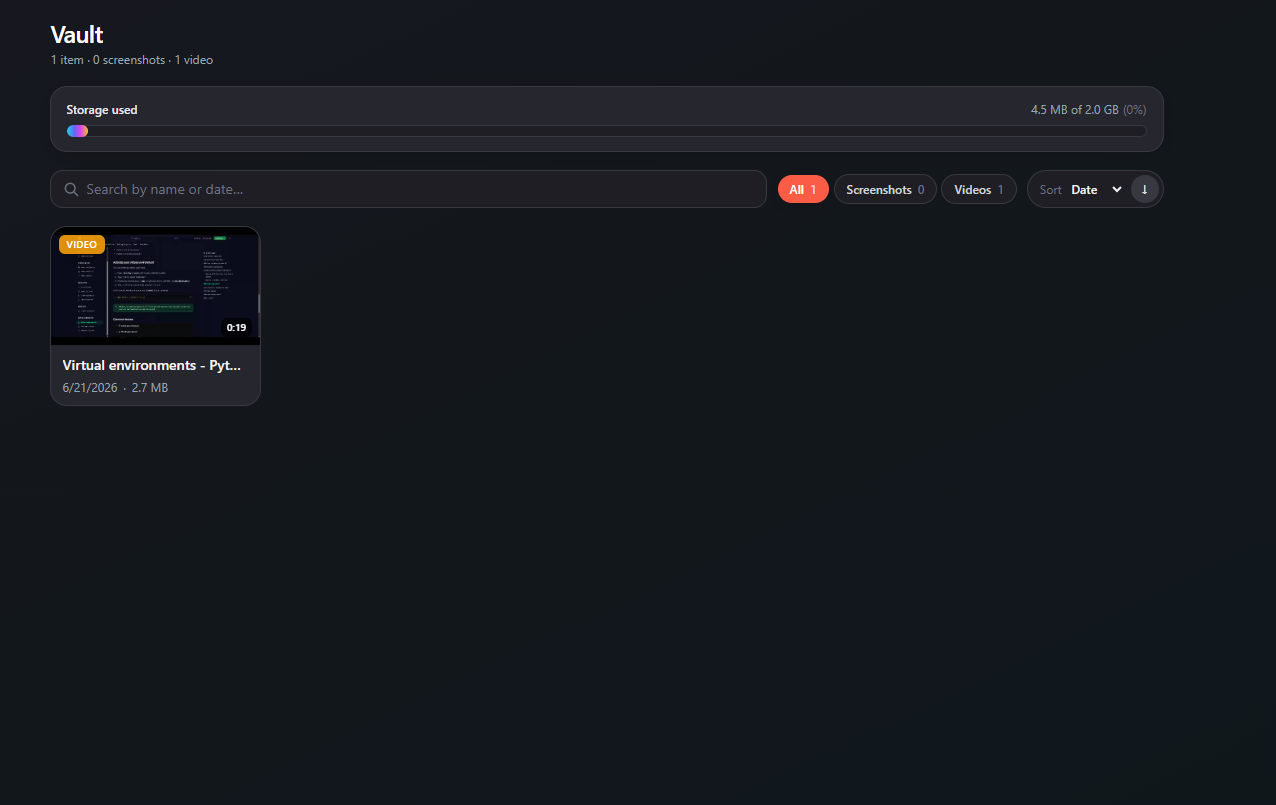
Screenshots and videos are saved directly to your computer's SSD, so they use your real disk space instead of a small browser quota. Search by name or date, filter by type, watch your storage fill — and nothing is ever uploaded.
Screen Studio has no servers to send your data to. There are no accounts, no analytics and no network calls — the content security policy is locked to the extension itself.
Install Screen Studio and start in seconds. Works on Chrome & Brave.
Add to Chrome